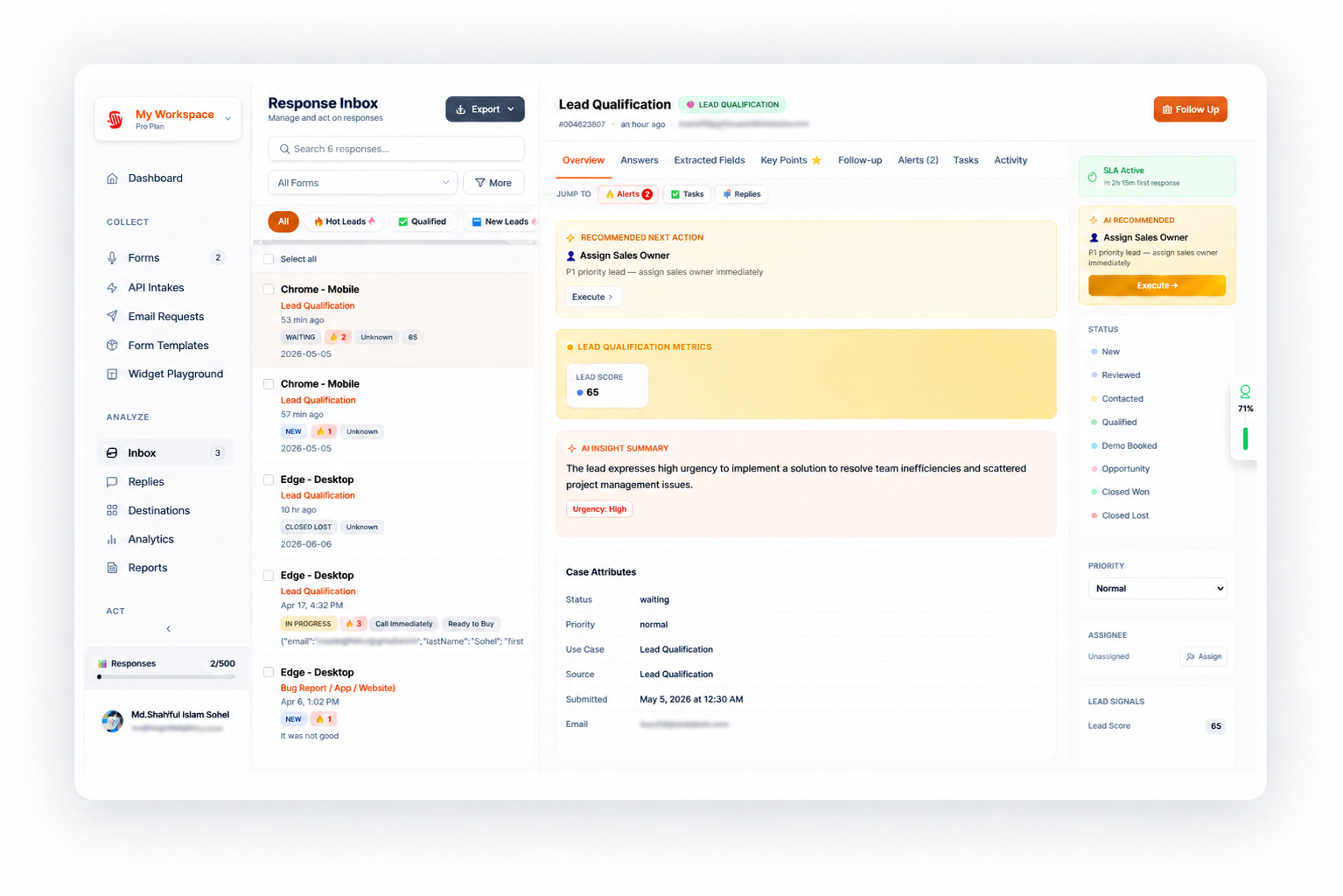
Sayify inbox with AI summaries, automation alerts, and case resolution workflow
Capabilities in practice

One intake system for the work after the form

Sayify helps teams collect high-context responses, extract the fields that matter, route each case, trigger the right next step, and track resolution in one connected workflow.

35+

question and response types

AI

use-case metrics and extraction

Rules

filtered automation and routing

Loop

inbox, follow-ups, and resolution

From response to resolution, without the handoffs

Traditional forms stop at the submission. Sayify keeps the work moving: a response can become a scored lead, a support case, a review-table item, a follow-up task, a routed integration payload, or a personalized respondent experience.

Collect richer input

Use voice, video, screen recording, file upload, NPS, matrix, ranking, legal consent, contact info, address, scheduling, and more.

Extract the signal

AI extracts fields, summarizes answers, scores urgency, identifies sentiment, and produces use-case metrics for qualification and triage.

Take action

Send alerts, route to destinations, trigger Zapier or webhooks, change case priority, assign owners, send follow-ups, and close the loop.
Real-world use cases

Use Sayify anywhere a response should become a workflow

These are not just template categories. Each use case can combine branding, question types, AI metrics, filtered automations, destinations, notifications, thank-you pages, and integrations.

Lead qualification

Let prospects explain their needs in their own words, then score fit, urgency, budget, buying intent, and next step automatically.

  • Route strong-fit leads to sales or a demo destination.
  • Send high-intent leads to Slack, Zapier, webhook, or Google Sheets.
  • Show different thank-you pages for hot leads versus low-fit leads.

Support intake and escalation

Capture the full customer story with voice, files, screenshots, screen recordings, and structured issue fields.

  • Detect urgency, negative sentiment, product area, and support category.
  • Route severe issues to the right destination or team alert.
  • Use built-in follow-ups to close the loop after resolution.

Client intake and project briefs

Give agencies, consultants, and service teams a branded intake flow that produces usable briefs instead of scattered emails.

  • Collect goals, scope, budget, timeline, files, and voice context.
  • Flag unclear scope, missing assets, or urgent deadlines.
  • Send accepted projects to an approval destination for review.

Product feedback and research

Understand feature requests, user pain, churn reasons, onboarding friction, beta feedback, and UX testing sessions.

  • Extract themes, quotes, user segment, and requested outcomes.
  • Route high-value feedback to product review destinations.
  • Trigger follow-up questions when answers lack detail.
Automation layer

Route work by conditions you control

Automation Rules add a filter layer on top of the same submission payload used by integrations. Global settings can keep running while conditional rules handle the exceptions, escalations, and high-value responses.

Filtered automation

If ICP fit equals strong, route to sales, notify Slack, and send the lead to Zapier.

Destinations

Create review tables for qualified leads, support escalations, testimonials, applications, approvals, or customer issues.

Webhooks and integrations

Use webhooks, Zapier, Slack, Google Sheets, and API intake to connect Sayify with the tools your team already uses.

Sayify inbox with automation alerts and routed response cases
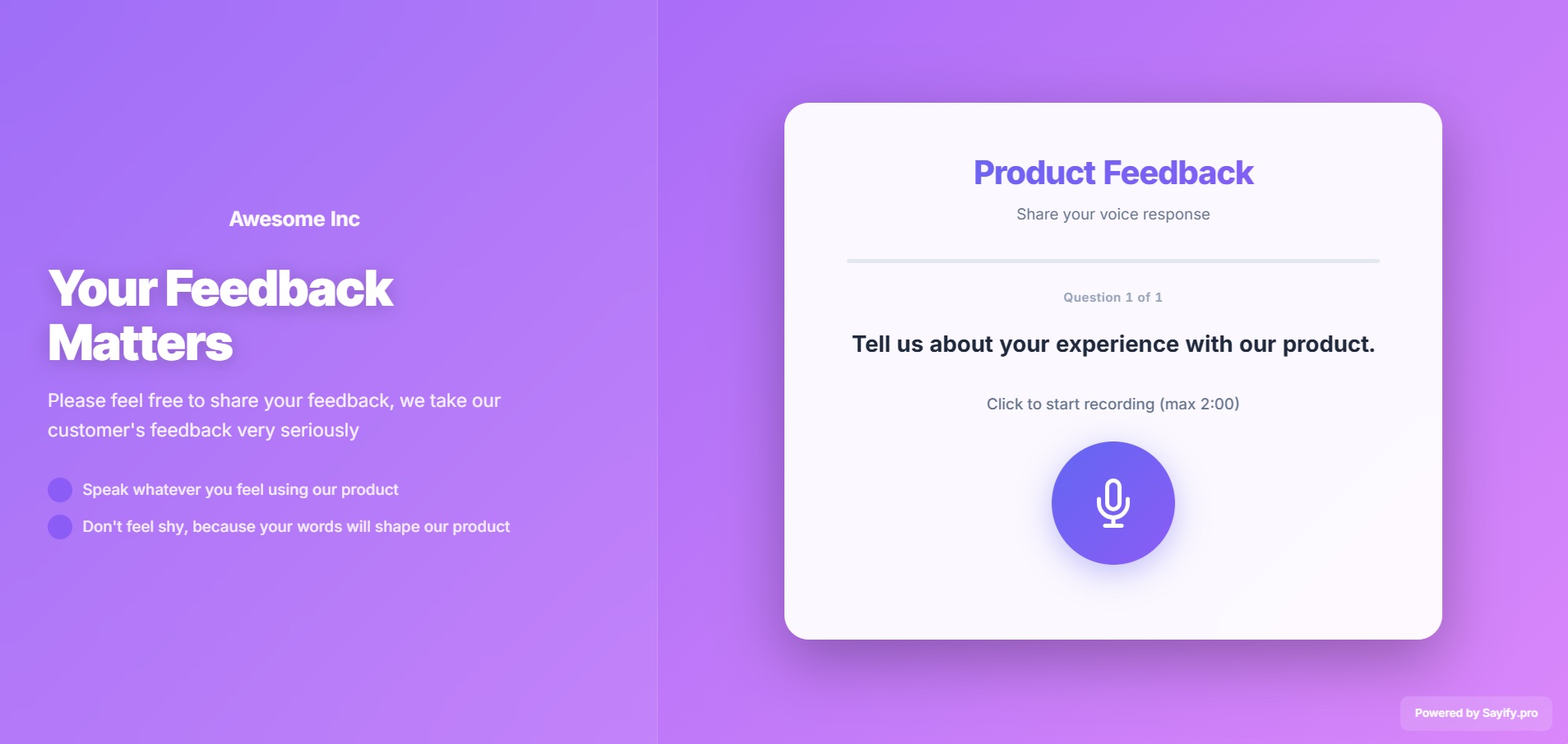
Sayify branded public intake page template
Branded experience

Make intake feel like your product, not a generic form

Sayify supports branding and customization, custom branded subdomains, public intake page templates, welcome pages, thank-you pages, and respondent-friendly form experiences.

Custom domains

Run intake on a branded subdomain your customers recognize.

Public pages

Launch intake portals for support, applications, feedback, and service requests.

Conditional thank-you

Show different next steps based on answers, intent, score, or extracted fields.

35+ question types

Ask for the exact input format each workflow needs.

Questions teams ask before switching

Plain answers for teams comparing intake tools, form builders, and workflow automation platforms.

What is Sayify?

Sayify gives teams one place to collect high-context responses, extract structured fields, route cases, and track each outcome through resolution.

Who is Sayify best for?

Sayify is best for teams that need more than form submissions: sales teams, agencies, support teams, product teams, operations teams, and service businesses.

Can Sayify automate different next steps?

Yes. Sayify can route to destinations, trigger integrations, send alerts, change case fields, personalize thank-you pages, and send follow-ups based on filters.

Does Sayify replace Typeform or Google Forms?

Sayify can replace static forms when you need richer input, AI analysis, routing, integrations, and case resolution rather than simple survey collection.

Make intake part of your operating system

Start with one branded intake flow. Add metrics, filtered automation, destinations, webhooks, follow-ups, and case resolution as your workflow grows.